
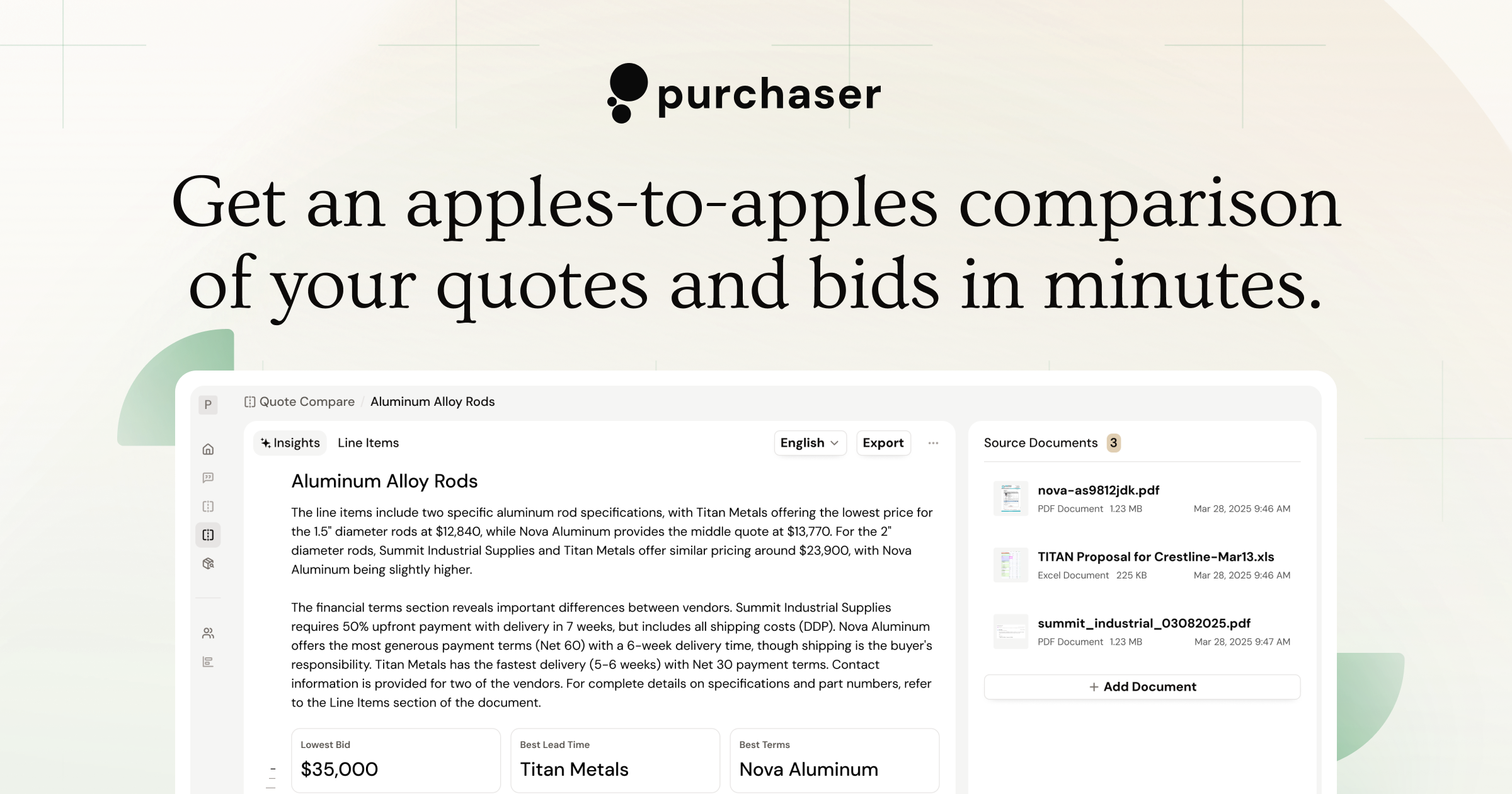
Last week we launched a slew of major updates to our standalone quote comparison tool. The new changes are designed to address a lot of the feedback we got from users over the last few months. Under the hood, the new V3 architecture gives us a more flexible and scalable base for future improvements and more complex experiences that we have planned in our near term roadmap.
Better Insights
When you upload multiple quotes or bids to compare, we review the details of the documents and generate a comprehensive analysis of the differences. In the previous architecture, the sections generated in the analysis were more generalized than we wanted them to be. V3 now supports a combination of dedicated sections that were common requests by our users, as well as the ability to dynamically identify additional analysis. You should always expect to see sections like “Financial Terms” and “Logistics”, but now we can factor in the industry context of the proposal and provide deeper analysis and considerations.
Dedicated Line Items Comparison
One piece of feedback we heard consistently from our users was that our system would sometimes combine data into single cells. That created challenges when comparing quantities between quoted items. The new dedicated line item view is a more familiar tabular layout that makes it easier to scan item details.
We still group items together so that you can more quickly get an apples-to-apples comparison per line item. Now, data is isolated into their own cells, which should make exports easier to manipulate when necessary. We also better highlight when a vendor didn’t quote a specific item compared to other vendors.
New to this experience is the ability to search on the line item table. This should help buyers who are quickly looking to filter items based on details that may be hard to scan. For example, you may want to only see items with a specific diameter, but that requirement is buried inside the description of the line item.
Upgrading to V3
Going forward, any new comparison will be generated with the V3 architecture. We also created a pathway to upgrade your previous comparisons to the new version. On older comparisons, there will be a banner at the top where you can click to upgrade. That takes the existing sources in that comparison and runs them through the new architecture.
Our goal is to get you an apples-to-apples comparison of your quotes, bids, and proposals in a matter of minutes, surfacing important commercial, financial, and industrial details and discrepancies without the need for you to copy-and-paste information from PDFs into spreadsheets. If you haven’t tried it out yet, book a demo today to learn more.