
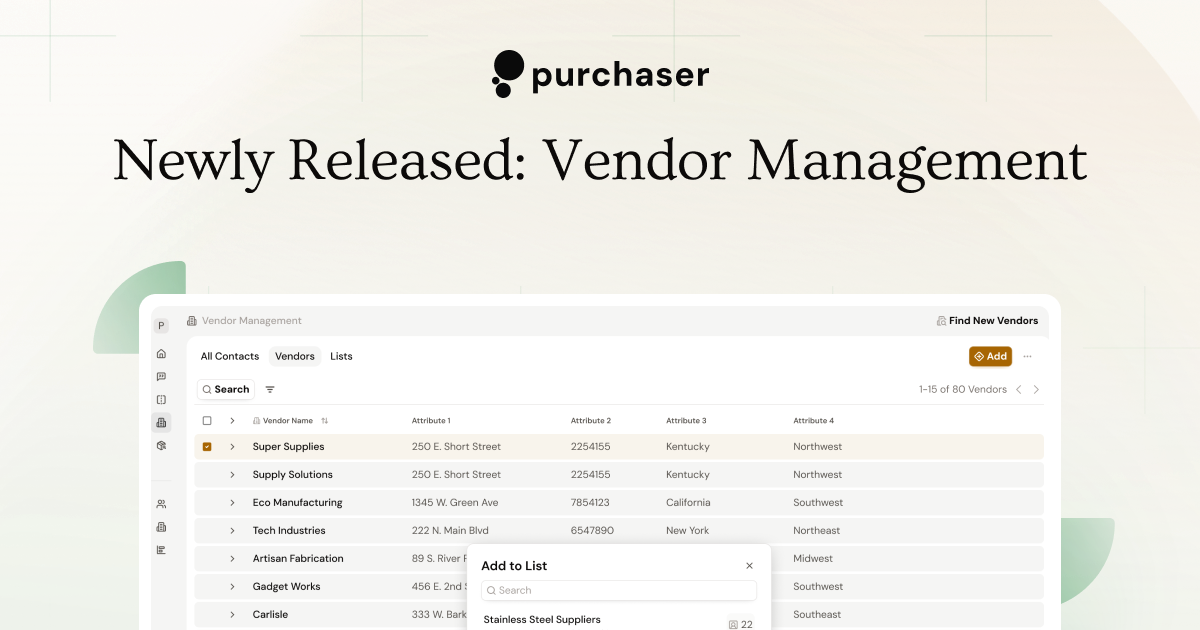
Where does your supplier data live? For a lot of businesses, that information is scattered across emails or is just tribal knowledge. Vendor management systems are often tied to bulky or outdated ERPs with long implementation times. A lot of manufacturers can’t afford to take the months needed to stand up a new system. If you do have a VMS, they aren’t connected to your purchasing team’s email so data gets lost within the massive inboxes of your buyer’s Outlook account.
These were the challenges we set out to tackle with our vendor management system. It’s streamlined, easy to setup, and since it’s connected to your sourcing tool, centralizes your supplier data as you go.
Adding Contacts and Vendors
We didn’t want to get in your way when sending an RFQ, so we created a few different ways to flexibly create contacts and vendors within our platform as you go.
-
Any time you add an email address to an RFQ, we’ll create a contact record for that email address.
-
When you’re searching for a new supplier in Vendor Discovery, you can now save them into Vendor Management, creating a new vendor record and contact record.
-
After you’ve sent out your RFQ, you can update a contact and a create a more detailed Vendor record for them.
-
If you have an existing method of storing your vendors and contacts and want to import them all into our system, just reach out to us and we’ll add them in for you.
Vendor Lists
If you’ve ever had a new employee ask “which DFARS vendors do we work with?”, then you’ve probably experienced the challenge of transferring that knowledge from your inbox into their head. Vendor lists let you quickly group and categorize your contacts and vendors. From a list, you can quickly send out RFQs to the same vendors, making it great for companies that do a lot of repeat sourcing to the same set of vendors.
Custom Attributes
For purchasing teams looking to store more supplier data, you can now create custom attributes on both vendors and contacts. When you create a custom attribute in your Workspace Settings, the new field be available on any vendor or contact in your system. It’s important to note that any information you provide in a custom attribute is private to your team and won’t ever be used as part of a public vendor profile.
Vendor Documents
You can also add and upload documents to a vendor record. Centralize firmographic documents and qualifications like W-9s and certificates, and keep all of your quotes in one place. Vendor documents can be viewed by anyone on your team. Similar to contact and vendor attributes, any documents you upload are private and internal to your organization.
With Vendor Management, our goal is to give you a lightweight tool to start centralizing your supplier data and better leverage it for faster, more automated sourcing activities. If you’re interested in going from silo’d, manual sourcing to centralized, automated sourcing book a demo with us today.